

Many traders record profit or loss after each position. That habit alone does not reveal much about trading skill.
Real improvement requires detailed records and clear analysis of trading behavior.
A trader needs to know which setups work, which markets produce losses, and which decisions lead to mistakes. TraderSync focuses on that exact task.
The platform acts as a structured trading journal that converts trade history into organized reports and statistics. Instead of scattered spreadsheets or notes, traders receive a clear view of their performance.
This review explains how TraderSync works and how traders use its tools to analyze results.
How TraderSync Turns Trade History Into Trading Insights

TraderSync collects trading records and converts them into data that traders can analyze.
The platform does not execute trades. Instead, it records activity from external broker accounts and organizes it into reports.
The process usually follows three steps:
- Import trade history
- Organize the trades inside the journal
- Review performance reports
After the import process finishes, the platform begins to calculate performance statistics automatically.
Through this system, traders can quickly discover:
- Which strategies produce the strongest profit
- Which markets produce the largest losses
- Which trading sessions generate consistent results
Without a journal, those patterns remain hidden.
Trade Journaling: Building a Complete Record of Every Trade

TraderSync stores each position as a detailed trade record. The journal captures the full context behind every trade.
A typical trade entry includes:
- Entry price
- Exit price
- Position size
- Profit or loss
- Trade date and time
- Strategy tags
- Notes and screenshots
For example, a stock trader may open a position at $52.30 and exit at $55.10 with 300 shares. The journal calculates the total profit and stores the trade inside the database.
The trader can also write notes such as:
- Reason for entry
- Market conditions
- Mistakes or observations
These notes help traders review decisions weeks or months later. Many traders also attach chart screenshots to show the technical setup that led to the trade.
Performance Analytics That Reveal Trading Patterns
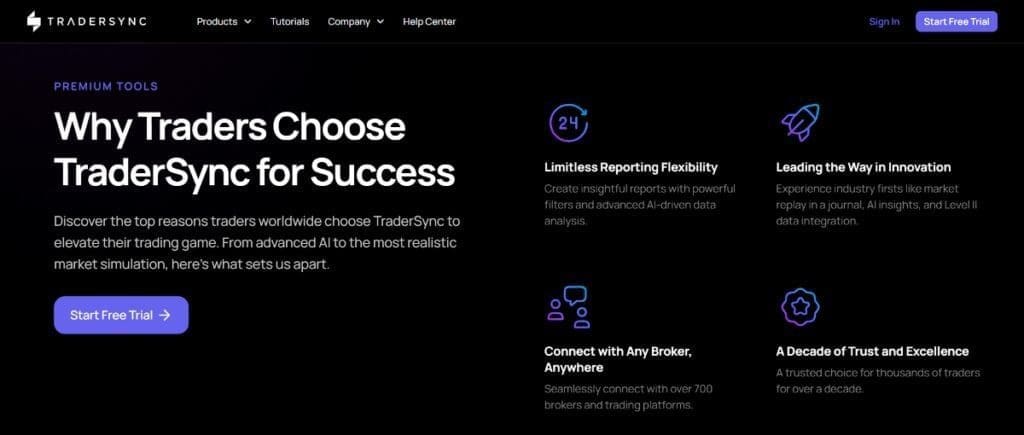
TraderSync converts trade records into performance statistics. These statistics show how a trader performs across different strategies and market conditions.
Win Rate and Profit Metrics
The platform calculates several metrics that describe trading performance.
Examples include:
- Win rate
- Average gain per trade
- Average loss per trade
- Profit factor
- Total return
Imagine a trader who completes 150 trades in three months. The analytics panel may reveal that 90 trades produced profit, which results in a 60% win rate.
However, the system also measures the size of wins and losses. A trader with small wins and large losses may still lose money even with a high win rate.
This deeper analysis helps traders judge whether their strategy truly works.
Strategy Performance Reports
TraderSync allows traders to label trades with strategy tags. These tags allow the platform to compare different setups.
For instance, a trader may use tags such as:
- Breakout
- Pullback
- Trend continuation
The analytics system then calculates profit results for each strategy.
A trader may discover that breakout trades produce consistent profit while pullback trades produce frequent losses.
That information allows the trader to focus on the strongest strategy.
Time-Based Performance Analysis
TraderSync also analyzes performance based on time.
The platform can reveal:
- Best trading day of the week
- Strongest trading session
- Weakest time of day
A trader may discover that trades placed early in the morning generate higher profit than trades placed later in the afternoon.
This insight often leads traders to adjust their trading schedule.
Trade Replay and Execution Review
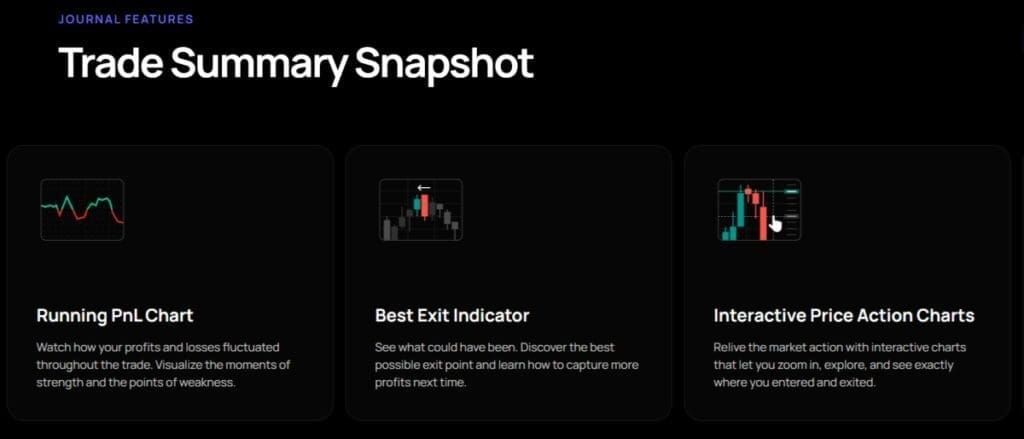
TraderSync includes a trade replay tool that allows traders to review past positions step by step.
The replay system reconstructs the price movement around a trade. The trader can then examine entry and exit timing in detail.
For example, a trader may notice that the entry occurred after a large price move. This delay often reduces profit potential.
Replay analysis can also reveal situations where traders exit too early. A position may close with a small profit even though the market later moves much further in the same direction.
Through replay review, traders can study execution quality and refine their timing.
Risk Tracking and Trading Plan Discipline

Successful trading requires strict risk control. TraderSync includes tools that help traders track risk exposure and rule compliance.
The platform allows traders to define trading rules such as:
- Maximum risk per trade
- Required risk-reward ratio
- Strategy entry conditions
After a trade closes, the system compares it against predefined rules. If a trader risks more capital than the plan allows, the platform highlights the rule violation.
Over time, these records reveal whether discipline problems affect performance. Many traders realize that losses occur after they ignore their own trading rules.
This form of accountability often improves long-term consistency.
Broker Integration and Trade Imports
TraderSync supports trade imports from a large number of broker platforms. Traders can connect their accounts or upload trade history files.
Common import methods include:
- Automatic broker synchronization
- CSV trade reports
- Manual trade entry
Many popular trading platforms allow exports that TraderSync can read directly.
Examples include:
- Interactive Brokers
- MetaTrader platforms
- TD Ameritrade
- NinjaTrader
A trader who exports a trade history file can upload it into TraderSync and allow the platform to organize the records automatically.
This approach saves time compared with manual journaling.
Collaboration Tools for Mentors and Trading Teams
TraderSync also includes collaboration features that allow traders to share performance data.
Some traders work with mentors who review trade records and offer feedback. TraderSync allows mentors to access statistics and analyze trading decisions.
Trading groups may also use shared reviews to study performance across several traders.
For example, a mentor may examine trade records and identify recurring mistakes such as late entries or oversized positions.
This type of feedback often helps traders correct habits faster.
TraderSync Pricing
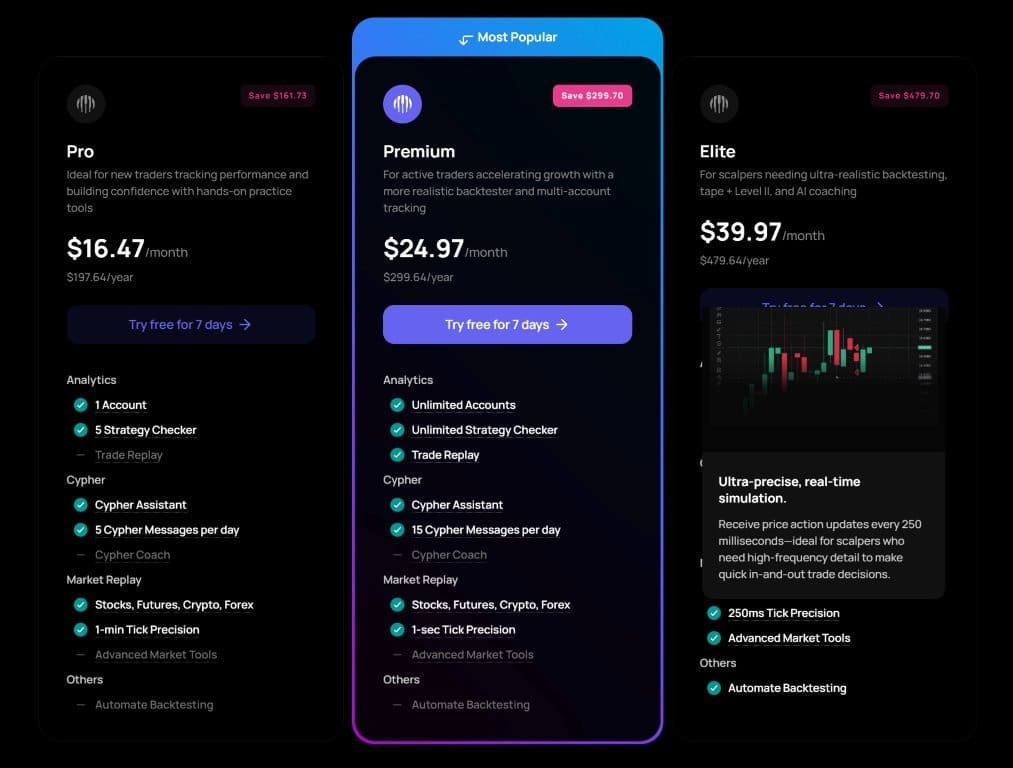
TraderSync offers several subscription tiers that provide different levels of access.
Pro Plan
- Approximately $29.95 per month
- Access to core journaling tools
- Trade import features
Premium Plan
- Approximately $49.95 per month
- Expanded analytics tools
- Deeper performance reports
Elite Plan
- Approximately $79.95 per month
- Full platform access
- Advanced analytics and replay tools
TraderSync also offers a short trial period that allows traders to test the software before purchasing a subscription.
Frequently Asked Questions
Can TraderSync Track Options and Futures Trades as Well as Stocks?
Yes. TraderSync supports several asset classes, including stocks, options, futures, forex, and cryptocurrency.
Traders who operate across multiple markets can record all positions in one journal and analyze performance without separate tracking systems.
Does TraderSync Allow Traders to Review Performance Across Multiple Strategies?
Yes. The platform allows traders to assign tags to each trade that represent specific strategies or setups.
Once trades receive tags, the analytics system can compare profit results across different strategies and identify which setups perform best.
Can Trader Sync Calculate the True Cost of Trading Fees and Commissions?
Yes. TraderSync tracks transaction costs such as commissions and exchange fees.
The platform subtracts these costs from trade results so traders can see the real net profit of their activity instead of only the gross profit.
Is TraderSync Useful for Long-Term Performance Tracking?
Yes. The platform stores historical trade data and allows traders to review performance over long periods.
Traders can analyze months or years of activity to identify trends, consistency levels, and major shifts in strategy performance.
Final Thoughts
TraderSync focuses on detailed performance analysis rather than simple trade recording.
The platform stores trade history, calculates performance metrics, and produces reports that reveal patterns in trading behavior.
Tools such as strategy tagging, replay analysis, and rule tracking allow traders to study both technical execution and discipline.
By reviewing trade records through structured reports, traders gain a clearer understanding of their strengths and weaknesses.
For traders who want a system that converts raw trade data into meaningful performance insights, TraderSync provides a practical solution for structured trade analysis.